| Guide Story - Grow | |
|---|---|
| Req. level | |
| Starts with | Kirstie |
| Appearance | Season N/A, ep. N/A |
| Type | Key Story |
| Reward | |
| Previous | |
| Kirstie the Huntress | |
| Next | |
| Guide Story - Growth Goals | |
Unlocked by
NPCs Involved
Steps to Completing
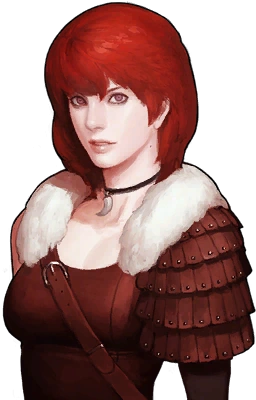
- Talk to Kirstie at the Traveler's Shop about how to grow.
Rewards
Nil.
Stories Unlocked
Story Dialogue Summary
- To become stronger, “level up”, which means: increase your character's level.
- To level up, earn “EXP”, which is the common abbreviation of Experience.
- To earn Experience, clear battles and complete stories.
- Stories that you can currently progress are listed in the Story Window.
- The Story Window can be opened by clicking the scroll in the icon bar showing at the lower left of the screen, or by pressing M.
- Kirstie recommends prioritizing stories in the categories “Key Story” and “Main Stream”. The reasoning behind this strategy is unclear.
- Clicking a story in the story window opens a window giving detailed information about the story.
- A checkbox precedes each story name in the story window. Clicking the checkbox makes a brief description of the story appear in the “Story Hints” drop-down box at the right hand edge of the screen.
- In the Story Window, some stories are followed by an icon showing an exclamation mark in a yellow square. Clicking that icon will teleport you to the location of the story. Kirstie's explanation refers to the icon allowing you to “progress the story without having to go to each location”, which incorrectly gives the impression that you can complete the quest without being moved from your current location.
- Return when you reach level 10 for more information. (This is referring to the story Guide Story - Growth Goals.)
Related information not supplied in this story.
- Story is the name Vindictus uses for what most Role Playing Games call a Quest.
- The Story Hints drop-down box appears when in town and is hidden in battle. When in town, it appears as the heading “Story Hints” followed by a double arrowhead icon that shows or hides its content. Unless you have a large monitor, when the content is shown it inconveniently overlaps with the chat window, making it difficult to read. Alas, there is no way to move it or hide it completely when in town.
- When you click a yellow icon to teleport to a story location, if the story involves talking to an NPC, the conversation will commence automatically.
- In the Story Window, stories are subdivided into sections with headings:
- Key Story
- Main Stream: Season 1
- Sub Story: Season 1
- Similar headings for Seasons 2 to 4
- Equipment Story
- Content Story
- Headings are only visible if you have at least one currently available stories of that type.
- The distinction between Key Story and Content Story is unclear. Both categories deal with imparting information about how to play the game.